El contenido de aprendizaje está diseñado para cualquier persona que desee adquirir conocimientos sobre SAP de forma sencilla, compacta y práctica. Nuestra plataforma de aprendizaje ofrece contenidos para principiantes, avanzados y expertos. Esto le permite ampliar sus conocimientos paso a paso y desarrollar continuamente sus habilidades para convertirse en un experto de SAP.
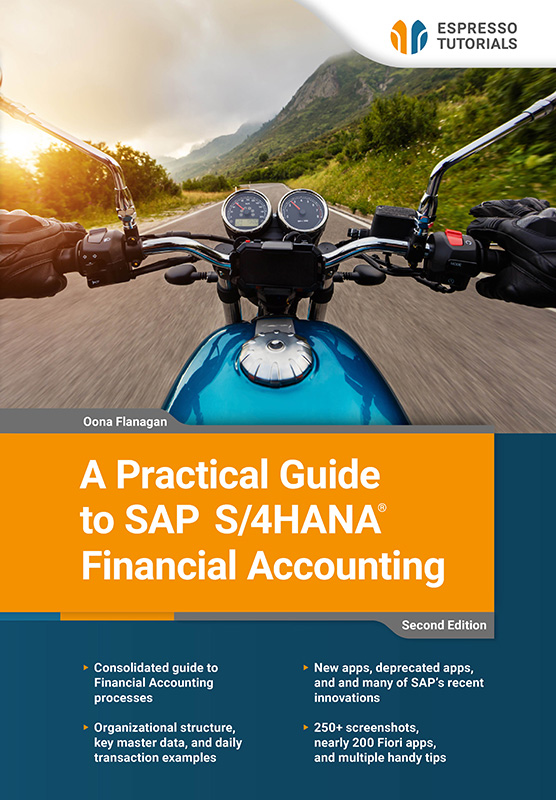
A Practical Guide to SAP S/4HANA Financial Accounting
Tarifa plana
19 € al mes
Licencia única Más de 1000 libros electrónicos y tutoriales en vídeo Acceso instantáneo 12 meses(228 €al año) Renovación automática
Saber más
This updated second edition provides a clear and practical guide to Financial Accounting in SAP S/4HANA, based on SAP Best Practices and using SAP Fiori apps.
Aimed at both novices and existing users, this book covers how core finance processes work in SAP S/4HANA, placing each transaction in its proper business and system context rather than offering step-by-step tutorials. It reflects many of the recent changes in SAP S/4HANA, including new functionality and deprecated apps, and explains how to stay up to date as SAP continues to evolve.
Covering SAP Fiori basics, organizational structure, master data, General Ledger, Accounts Payable and Receivable, Banking and Cash Management, Asset Accounting, and Reporting, this book provides examples of key day-to-day transactions and also touches on aspects of Management Accounting.
With references to nearly 200 SAP Fiori apps, more than 250 screenshots, and a multitude of useful tips, this book is an ideal guide for finance professionals, consultants, and managers who want a clear understanding of how SAP S/4HANA Financial Accounting works—whether new to SAP S/4HANA or looking to expand their existing knowledge.
• Consolidated guide to Financial Accounting processes
• Organizational structure, key master data, and daily transaction examples
• New apps, deprecated apps, and many of SAP’s recent innovations
• 250+ screenshots, nearly 200 Fiori apps, and multiple handy tips
Ejemplo de lectura
2.1.2 Searching for an app
If you have used an app recently, you can see it in Recent Activities when you click on the profile button. There is also a handy search option at the top right of each screen , where you can specify where to search, as well as what to search for. I use it mostly to search for apps, but you can search for anything here. The search is sometimes referred to as the enhanced search, because as you type, the system already searches using that part of the word. I have also seen it called the enterprise search, as it searches across everything. You can use the dropdown to restrict the search to a specific area such as apps, specific master data, types of documents, etc.
Dropdown
When I use the term dropdown, I refer to the button on the right of a selection field. When you click on this button, the system will give you a list to choose from or take you to another screen where you can enter various search terms or a condition to find what you are looking for. There is a calendar button for date fields.
In Figure 2.3, I searched All for the number 12345, and the system returned 182 entries with that reference, split by the categories on the left, which I could filter further with the filter button . I searched in a test system, so that particular reference was used a lot! You can restrict the search to different categories, such as apps, master data, transactions, orders, quotes, etc. using the dropdown (by the arrow). I have since turned on the Personalized Search (in the settings under my profile) and selected Apps. Now, instead of All, the enhanced search defaults to My Favorites, which in my case reduces the search scope to Apps.

Figure 2.3: SAP Fiori enhanced search
Home screen
Earlier versions have a small house-shaped button at the top left to return to the home screen, but newer versions simply have the SAP logo as the home button.
Autores
Con frecuenciaPreguntas frecuentes
Preguntas y respuestas generales sobre nuestros contenidos de aprendizaje.
Nuestros productos, ya sean libros, vídeos o formación en línea, transmiten los conocimientos de SAP de forma concisa y práctica, para que pueda aplicarlos directamente en su trabajo diario, aunque disponga de poco tiempo. Usted se beneficia de una amplia cobertura de temas relevantes de SAP, contenido de alta calidad en cuatro idiomas y formatos de aprendizaje diseñados para adaptarse a sus necesidades individuales. Esto garantiza que pueda mantenerse al día y desarrollar continuamente sus conocimientos.
Nuestros libros se caracterizan por un claro enfoque práctico y una presentación compacta y fácil de entender. Explicamos temas complejos de SAP de forma concisa -sin palabras de moda de marketing innecesarias- para que los lectores puedan comprender rápidamente lo esencial y aplicar directamente los nuevos conocimientos.
Nuestros libros impresos pueden devolverse en un plazo de 14 días, en su estado original. Los gastos de envío de la devolución corren por su cuenta.
Actualmente sólo enviamos libros directamente dentro de Alemania. Si hace su pedido desde fuera de Alemania, le recomendamos que lo haga a través de Amazon. Puede encontrar el enlace seleccionando "Comprar eBook" en cualquier producto de nuestra tienda web y Amazon le mostrará entonces tanto la versión eBook como la impresa disponibles para su compra.
Alternativamente, puede acceder a todo nuestro contenido con una suscripción digital, a partir de 19 dólares al mes.
Nuestro equipo está siempre dispuesto a ayudarle y responderá a sus preguntas lo antes posible (normalmente en 1-2 días). También puede ponerse en contacto con nosotros si tiene preguntas para alguno de los autores. Correo electrónico: contact@espresso-tutorials.com

