
El contenido de aprendizaje está diseñado para cualquier persona que desee adquirir conocimientos sobre SAP de forma sencilla, compacta y práctica. Nuestra plataforma de aprendizaje ofrece contenidos para principiantes, avanzados y expertos. Esto le permite ampliar sus conocimientos paso a paso y desarrollar continuamente sus habilidades para convertirse en un experto de SAP.
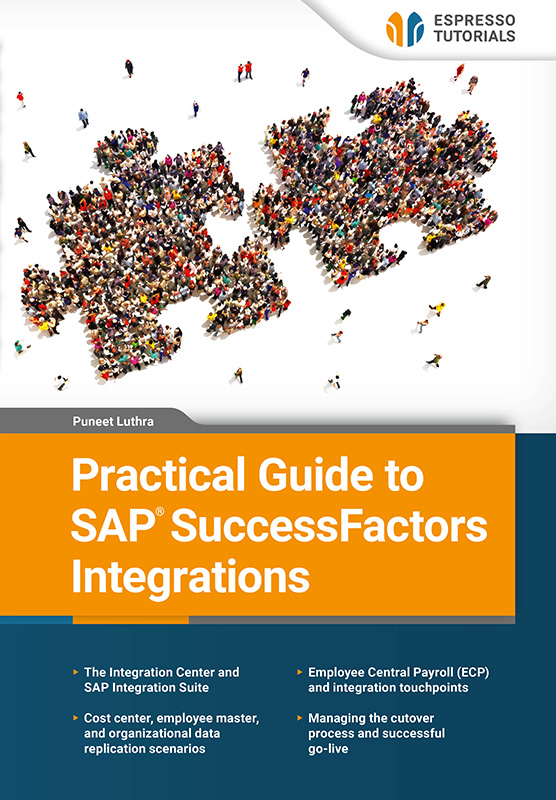
Practical Guide to SAP SuccessFactors Integrations
Tarifa plana
19 € al mes
Licencia única Más de 1000 libros electrónicos y tutoriales en vídeo Acceso instantáneo 12 meses(228 €al año) Renovación automática
Saber más
SAP SuccessFactors is widely recognized as one of the leading cloud-based human capital management (HCM) solutions—a top-tier choice for many large enterprises. The main challenge—and opportunity—for organizations implementing SAP SuccessFactors lies in designing integrations that ensure seamless data flow across HR, payroll, finance, and third-party systems.
This book is a step-by-step guide through the complex but essential world of SAP SuccessFactors integrations. From understanding the evolution of SAP HCM to mastering cloud-based payroll, data replication, and system connectivity, this book equips you with practical knowledge and real-world examples and provides detailed guidance on the tools and methods every SAP system administrator and technical/functional consultant needs to know.
Explore the Integration Center and SAP Integration Suite, along with examples of standard integrations and configuration best practices. Dive into cost center integration, employee master data flows, and organizational data replication. Examine Employee Central Payroll (ECP) and integration touchpoints. Finally, delve into proven strategies for managing cutover and a smooth go-live.
- The Integration Center and SAP Integration Suite
- Cost center, employee master, and organizational data replication scenarios
- Employee Central Payroll (ECP) and integration touchpoints
- Managing the cutover process and successful go-live
Ejemplo de lectura
1.2.1 SFAPI (SuccessFactors API)
SFAPI, also known as SuccessFactors API, is built on SOAP protocol and was used extensively as the primary method for developing integrations in the early years of SAP SuccessFactors. As previously mentioned, SFAPI has been deprecated (except for the CompoundEmployee API) and SAP recommends that companies not use SFAPI for building any new integrations going forward. SAP also recommends evaluating the possibility to migrate existing legacy SFAPI-based integrations to OData API. To view the available SFAPI entities in SAP SuccessFactors, users can navigate to the SFAPI Data Dictionary via the action search option referred to in Figure 1.1. SFAPI supports multiple operations across entities. The operations that are valid for CompoundEmployee API are query and queryMore, which means that the CompoundEmployee API can only be used to query data from SAP SuccessFactors and does not support data updates. Note that entity names have remained the same as when the SFAPI objects that are migrated to the OData API entity (e.g., EmpJob) used to be objects in SFAPI, but they are now marked as deprecated and are available as OData API entities.

Figure 1.1: SFAPI Data Dictionary and CompoundEmployee API
Even though SFAPI has been deprecated, the exception is CompoundEmployee API, which is a SOAP-based API and is still commonly used in integration projects for the various advantages it brings. There are specific use cases and requirements that are encountered during the integration design and build phase, where the CompoundEmployee API is still favorable, and is still used by integration design teams and developers today. Some scenarios where CompoundEmployee API is widely used include delta integrations or situations where integration needs to capture a time period that has been deleted. Compared to using OData APIs, the CompoundEmployee API can handle these kinds of scenarios with ease.
The below query also uses the last_modified_on field, which is commonly used in delta load integrations to retrieve the records that were updated after the last integration run date.
SFAPI query—example
Below is an example of the SFAPI query which is generated in the SAP Integration Suite when the CompoundEmployee API and the corresponding objects (e.g., person, employment information, compensation information, etc.) are selected:
Select person, employment_information, compensation_information, address_information, job_information, phone_information from CompoundEmployee where last_modified_on > to_datetime(lastRunDate)
API URLs are structured in a way that is common for companies in the same data centers, but what makes them unique is the company ID, which is used when users log in to the system and are authenticated. The URL pattern for the SFAPI is: https://api44.sapsf.com/sfapi/v1/soap. Because the SFAPI is based on SOAP structure, there is a corresponding WSDL (Web Services Description Language) which needs to be shared with any external application that tries to query the data. The URL to retrieve the WSDL is: https://api44.sapsf.com/sfapi/v1/soap?wsdl. WSDL provides a structure and defines a webservice’s functionality, the fields and data structure, and all the supported operations for that entity.
In addition, CompoundEmployee SFAPI remains a foundational element for hybrid architectures, also known as data replication—for replicating the employee master data from SAP SuccessFactors Employee Central to SAP ERP, Employee Central Payroll, or S/4HANA (for mini master replication). As a result, it is one of the key API objects that are maintained by SAP in order to manage data transfer in hybrid architectures. Hybrid architecture will be covered in more detail in Section 1.4.
SFAPI and OData have several aspects in common in terms of how they work. One of these aspects relates to authentication and permissions. Both SFAPI and OData API require adequate authorization and permission to perform the necessary actions with SAP SuccessFactors data. These topics are covered in more detail in the next section and in Chapter 2, where we create an integration using the Integration Center and SAP Integration Suite.
1.2.2 OData API
Open Data Protocol (OData) APIs are based on the Representational State Transfer (REST) framework, which is widely accepted and used extensively in the integration of different SaaS products. OData provides a standardized communication framework for systems to communicate with each other. These systems are part of the customer landscape and can be internal or external. The operations within the OData framework are Create, Read, Update, Delete (CRUD). To perform these operations, the API user must have the necessary authorizations and required permissions. OData also enables multiple query options such as $filter, $top, $select, etc., which can be helpful in integrations where there are data extraction scenarios.
SAP SuccessFactors provides OData API entities across different modules. There are scenarios where data is extracted, in a single integration, from APIs across various modules. Below are some common day-to-day integration scenarios:
- Employee master data is sent to an external vendor for managing payroll and benefits. This kind of integration involves extracting information from Employee Central APIs (extracting employee demographic data) and payroll related information from the SAP Employee Central Payroll.
- A foundation object, such as a cost center, is updated in SuccessFactors Employee Central (SAP provides standard integration between SAP ERP or SAP S/4 to SuccessFactors). The OData API entity used is FOCostCenter.
- The status of job requisitions is updated based on certain triggers in the job requisition step. The OData API entity used is JobRequisition.
- A new employee’s email address is updated from the account provisioning system. The OData API entity used is PerEmail.
- Information is extracted regarding an employee’s learning history over a given period. The OData API entity is learningHistory.
All integrations based on the Integration Center use OData APIs for data extraction (outbound integrations) or for integrations to update data in SuccessFactors (inbound integrations). Next, we will cover the authentication mechanism when using the APIs. An authentication mechanism is defined to keep the data secure and protected from unauthorized users who might try to access the system. SAP SuccessFactors provides two methods for authentication when using OData or SFAPI web services.
Basic authentication
Basic authentication requires a username and password to be specified when a connection is being established via an API call. This method also requires the use of a company ID, together with the username for example, the username is formatted as apiuser@companyID.
There is also a mechanism for controlling and restricting access. Access can be restricted and limited to a set of IP addresses which have permission to access the APIs via basic authentication. If someone tries to access the OData API from an IP address that is not listed, that request will result in the failure of the authentication request. As shown in Figure 1.2, there are various options to restrict access to the system via APIs, based on IP addresses:
- Always—there is no IP restriction and access is available for all IP addresses.
- Never—basic authentication is not allowed and all IP addresses are blocked.
- Restrict access to below IPs—only specific IP addresses can access the data.
The menu path for this is: Administrator • IP Restriction Management.

Figure 1.2: OData basic authentication configuration
Note that it is not recommended to use basic authentication for any future integration developments. This is based on notification from SAP which outlines that basic authentication has been deprecated and will be retired/deleted on November 1, 2026. It is therefore recommended that existing integrations that are using the basic authentication mechanism be switched to OAuth 2.0.
IP Restrictions
In addition to the above IP restrictions, SAP SuccessFactors provides another measure for IP restrictions which applies to both user and API logins. The settings can be configured via menu path
Administrator • Manage System Properties • Password & Login Policy Settings.
OAuth 2.0 is considered to be a more secure and modern approach for integration authentication in corporate landscapes. It is becoming more common for integrations developed in SAP Integration Suite or any other middleware to be authenticated using OAuth 2.0 when a connection is being established between the applications. Using OAuth 2.0 eliminates the need to store or share user credentials and provides mechanisms for both system-to-system authentications (e.g., SAP Integration Suite connecting to SAP SuccessFactors for data read or write operations) and user-based authentications (e.g., when the SAP SuccessFactors landscape accesses an employee’s payslip, which is embedded in SAP SuccessFactors but is authenticated with permissions that are assigned to users in SAP Employee Central Payroll).
While working with OData it is also important to understand the format for the base URL that is used in OData APIs. The structure of the URL is https:///odata/v2. The API server is determined by the data center the SAP SuccessFactors instance is hosted on and whether the instance is in the preview or production stack. For example, the URL for data center 17 instance is https://api17.sapsf.com. SAP provides details on the API URLs based on the different data centers at: https://userapps.support.sap.com/sap/support/knowledge/en/2215682.
Autores
Con frecuenciaPreguntas frecuentes
Preguntas y respuestas generales sobre nuestros contenidos de aprendizaje.
Nuestros productos, ya sean libros, vídeos o formación en línea, transmiten los conocimientos de SAP de forma concisa y práctica, para que pueda aplicarlos directamente en su trabajo diario, aunque disponga de poco tiempo. Usted se beneficia de una amplia cobertura de temas relevantes de SAP, contenido de alta calidad en cuatro idiomas y formatos de aprendizaje diseñados para adaptarse a sus necesidades individuales. Esto garantiza que pueda mantenerse al día y desarrollar continuamente sus conocimientos.
Nuestros libros se caracterizan por un claro enfoque práctico y una presentación compacta y fácil de entender. Explicamos temas complejos de SAP de forma concisa -sin palabras de moda de marketing innecesarias- para que los lectores puedan comprender rápidamente lo esencial y aplicar directamente los nuevos conocimientos.
Nuestros libros impresos pueden devolverse en un plazo de 14 días, en su estado original. Los gastos de envío de la devolución corren por su cuenta.
Actualmente sólo enviamos libros directamente dentro de Alemania. Si hace su pedido desde fuera de Alemania, le recomendamos que lo haga a través de Amazon. Puede encontrar el enlace seleccionando "Comprar eBook" en cualquier producto de nuestra tienda web y Amazon le mostrará entonces tanto la versión eBook como la impresa disponibles para su compra.
Alternativamente, puede acceder a todo nuestro contenido con una suscripción digital, a partir de 19 dólares al mes.
Nuestro equipo está siempre dispuesto a ayudarle y responderá a sus preguntas lo antes posible (normalmente en 1-2 días). También puede ponerse en contacto con nosotros si tiene preguntas para alguno de los autores. Correo electrónico: contact@espresso-tutorials.com

