
El contenido de aprendizaje está diseñado para cualquier persona que desee adquirir conocimientos sobre SAP de forma sencilla, compacta y práctica. Nuestra plataforma de aprendizaje ofrece contenidos para principiantes, avanzados y expertos. Esto le permite ampliar sus conocimientos paso a paso y desarrollar continuamente sus habilidades para convertirse en un experto de SAP.
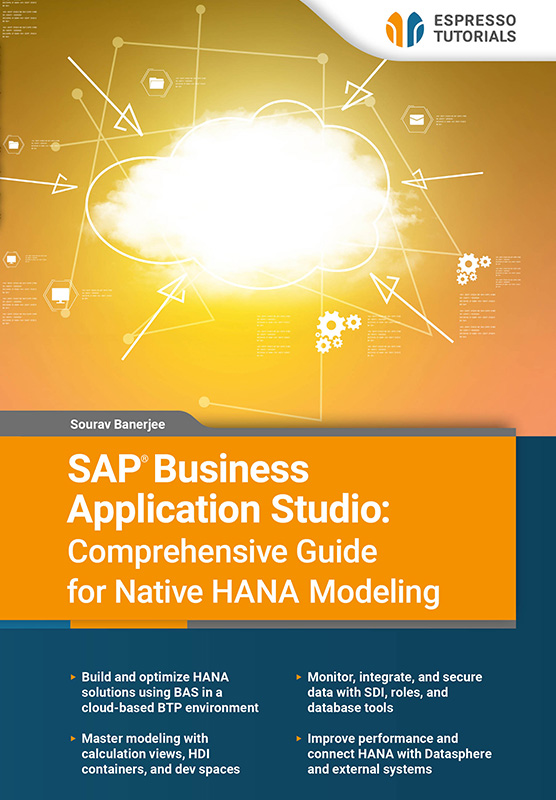
SAP Business Application Studio: Comprehensive Guide for Native HANA Modeling
Tarifa plana
19 US$ al mes
Licencia única Más de 1000 libros electrónicos y tutoriales en vídeo Acceso instantáneo 12 meses($228al año) Renovación automática
Saber más
Unlock the full potential of SAP HANA development with this hands-on guide to SAP Business Application Studio (BAS). Designed for developers and data professionals, this book explores native HANA modeling in a modern cloud environment powered by SAP Business Technology Platform (BTP).
Learn how to set up your BAS workspace and progress to advanced modeling techniques. Build, manage, and optimize data solutions using real-world scenarios while working with tools such as HANA Database Explorer. Discover HDI containers for secure development and use dev spaces to streamline workflows without immediate deployment.
Explore key topics such as HANA Calculation Views, database monitoring, Smart Data Integration (SDI), roles and authorizations, reusable functions, and performance optimization. You’ll also learn how to integrate SAP HANA with SAP Datasphere and external systems for seamless connectivity.
Each chapter builds your skills step by step, with practical examples, insights, and a section to test your knowledge.
- Build and optimize HANA solutions using BAS in a cloud-based BTP environment
- Master modeling with calculation views, HDI containers, and dev spaces
- Monitor, integrate, and secure data with SDI, roles, and database tools
- Improve performance and connect HANA with Datasphere and external systems
Ejemplo de lectura
2.1 Creating a subaccount
The first step when setting up BAS is to create a subaccount, which needs to be created against the main account in the BTP cockpit. A main account can consist of several subaccounts. It lets you manage your subscription, enable services, and deploy applications. It is important to note that subaccounts under a single global account are independent of each other.
Services available based on region
Every subaccount has to be hosted in a particular region. There could be one or many services that are enabled for each region (e.g., BAS is available in the US region). There are therefore restrictions in each region, and some applications may not exist in a particular region. It is important to be aware of the restrictions before creating a subaccount.
There is no restriction, however, to select a particular region based on your current location. If you are based in India, you can still host your applications in the US region.
A global account has a quota and an entitlement based on the service you purchase:
- Quota—this is the total memory that you purchase as part of your license.
- Entitlement—this is the service you want to purchase. It could be based on a specific service plan or tools.
Each subaccount needs to be enabled for a runtime environment. If you enable a Cloud Foundry environment, the system will create a Cloud Foundry org (organization) for which you create Space(s) to help you separate services. If you select a Kyma environment, the system will create a Kubernetes Cluster (multiple node machines—virtual or physical—that host containerized applications, managed and coordinated centrally). You can then create a Namespace to separate your services.
BAS is available in the US region, so you can create a new subaccount from the BTP cockpit by selecting US as the region. Name it BAS_DEMO. You only need to provide the subaccount name, description (usually free text) and the region. Figure 2.1 shows the subaccount which has been created under the global account for hosting our BAS application

Figure 2.1: Subaccount created
It only takes a couple of minutes to create a subaccount. The next step is to assign a service plan to your subaccount
Con frecuenciaPreguntas frecuentes
Preguntas y respuestas generales sobre nuestros contenidos de aprendizaje.
Nuestros productos, ya sean libros, vídeos o formación en línea, transmiten los conocimientos de SAP de forma concisa y práctica, para que pueda aplicarlos directamente en su trabajo diario, aunque disponga de poco tiempo. Usted se beneficia de una amplia cobertura de temas relevantes de SAP, contenido de alta calidad en cuatro idiomas y formatos de aprendizaje diseñados para adaptarse a sus necesidades individuales. Esto garantiza que pueda mantenerse al día y desarrollar continuamente sus conocimientos.
Nuestros libros se caracterizan por un claro enfoque práctico y una presentación compacta y fácil de entender. Explicamos temas complejos de SAP de forma concisa -sin palabras de moda de marketing innecesarias- para que los lectores puedan comprender rápidamente lo esencial y aplicar directamente los nuevos conocimientos.
Nuestros libros impresos pueden devolverse en un plazo de 14 días, en su estado original. Los gastos de envío de la devolución corren por su cuenta.
Actualmente sólo enviamos libros directamente dentro de Alemania. Si hace su pedido desde fuera de Alemania, le recomendamos que lo haga a través de Amazon. Puede encontrar el enlace seleccionando "Comprar eBook" en cualquier producto de nuestra tienda web y Amazon le mostrará entonces tanto la versión eBook como la impresa disponibles para su compra.
Alternativamente, puede acceder a todo nuestro contenido con una suscripción digital, a partir de 19 dólares al mes.
Nuestro equipo está siempre dispuesto a ayudarle y responderá a sus preguntas lo antes posible (normalmente en 1-2 días). También puede ponerse en contacto con nosotros si tiene preguntas para alguno de los autores. Correo electrónico: contact@espresso-tutorials.com

